One-click case filters
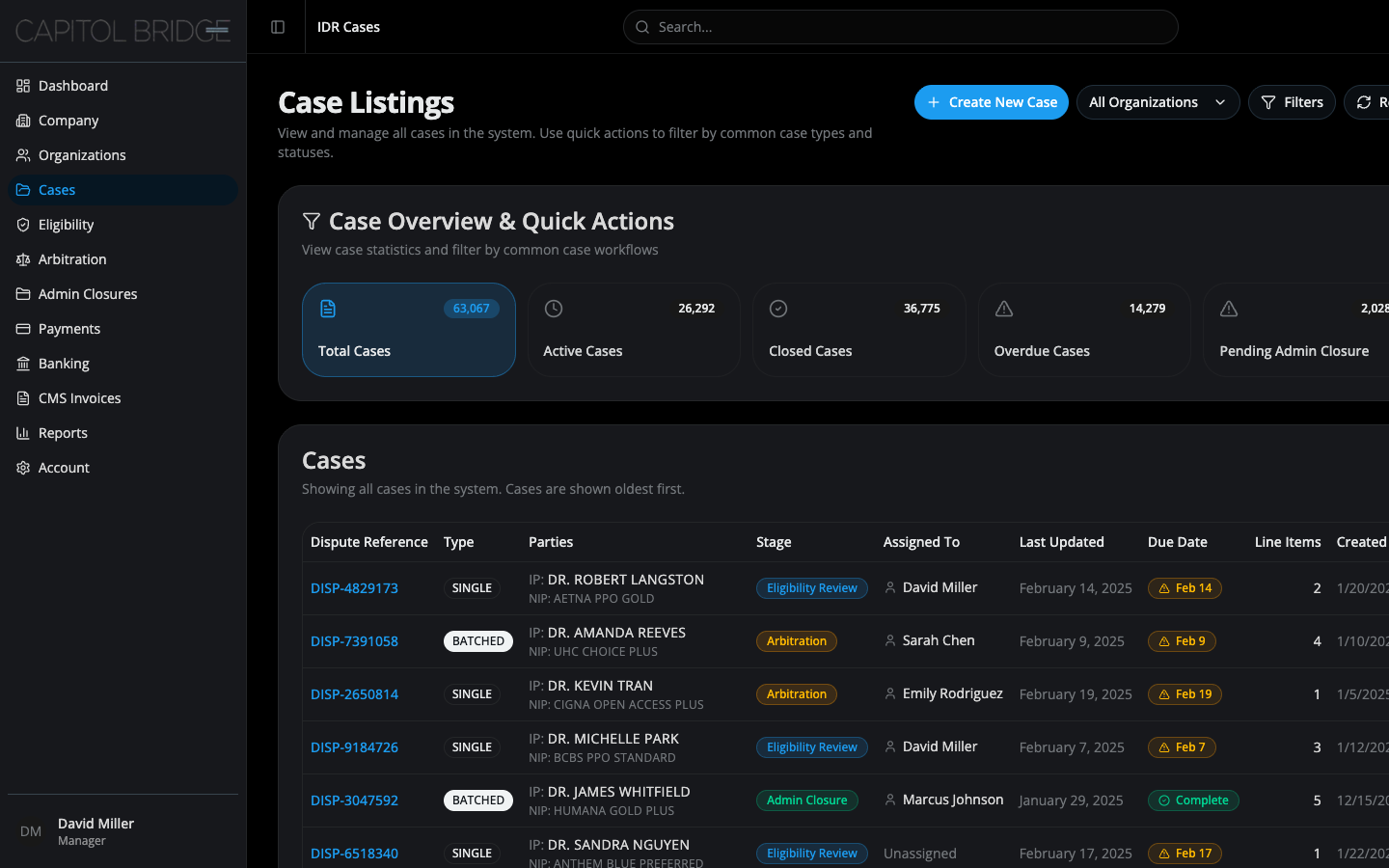
As a case manager, I want to filter the Cases listing by Active / Closed / Overdue / Pending Admin Closure with one click so that I can triage my workload without opening a filters dialog.
What this enables
Section titled “What this enables”The Cases page leads with a Case Overview & Quick Actions card containing five clickable stat tiles: Total / Active / Closed / Overdue / Pending Admin Closure. Clicking a tile filters the table below and highlights the active tile, so the applied filter is unambiguous at a glance.
See it in the prototype
Section titled “See it in the prototype”/manager/cases — click any of the five stat tiles above the table.
Why it works this way
Section titled “Why it works this way”The layout mirrors the live software so managers carry over their existing triage habits. The active-tile highlight is the key affordance — it tells the manager which slice of cases the table is currently showing without making them scan column headers or read a filter chip.
Related documentation
Section titled “Related documentation”- Consistent stage recognition — the same StageBadge appears in the table’s Stage column, so filtered results stay legible
- Overview — for the broader Cases-page context