Direct case lookup
As a case manager, I want to jump directly to any case from the top search bar so that I don’t have to navigate to the Cases listing first.
What this enables
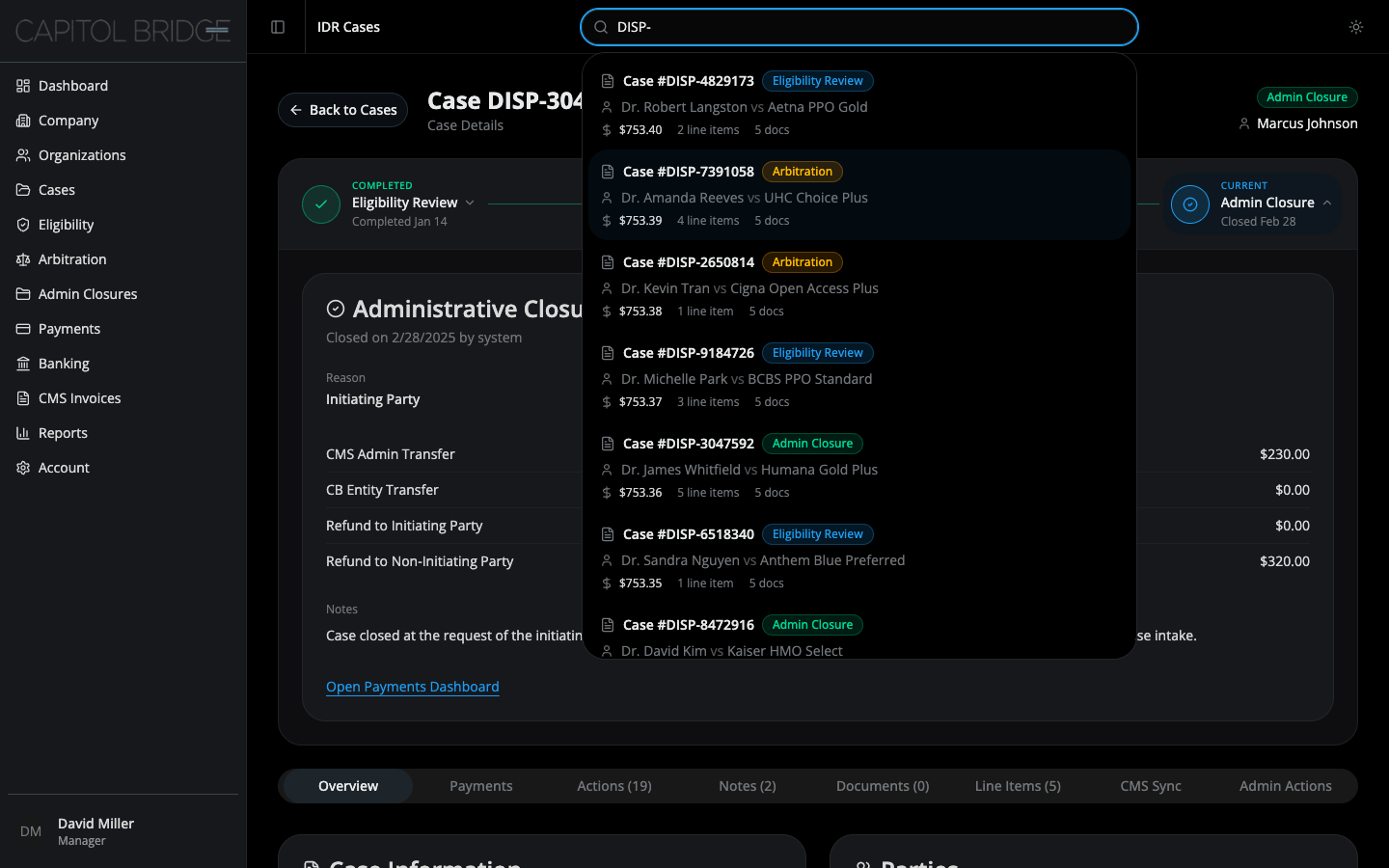
Section titled “What this enables”The top bar search opens an inline dropdown that matches against dispute reference, granular status, party name, and organization. Each result row shows the case # with its StageBadge, the IP vs NIP parties, and $amount · X line items · X docs — enough context to pick the right case without clicking through.
See it in the prototype
Section titled “See it in the prototype”Any page → focus the search input in the top bar → start typing. The dropdown opens on focus or on the first keystroke, and closes on outside click, on selection, or when the query is cleared.
Why it works this way
Section titled “Why it works this way”The pattern replicates the live software’s search, so managers carry their existing muscle memory into the prototype. Search results use the same StageBadge as everywhere else — see Consistent stage recognition — so a result row is immediately legible without re-learning a new badge style.
Related documentation
Section titled “Related documentation”- Consistent stage recognition — the badge that appears on each search result
- Overview — for the full set of surfaces the search reaches into