Closed-case reconciliation in context
As a case manager, I want to see a closed case’s reconciliation summary (reason, financial breakdown, notes) on the case itself so that I don’t have to open a separate Admin Closures dashboard to check why and how a case closed.
What this enables
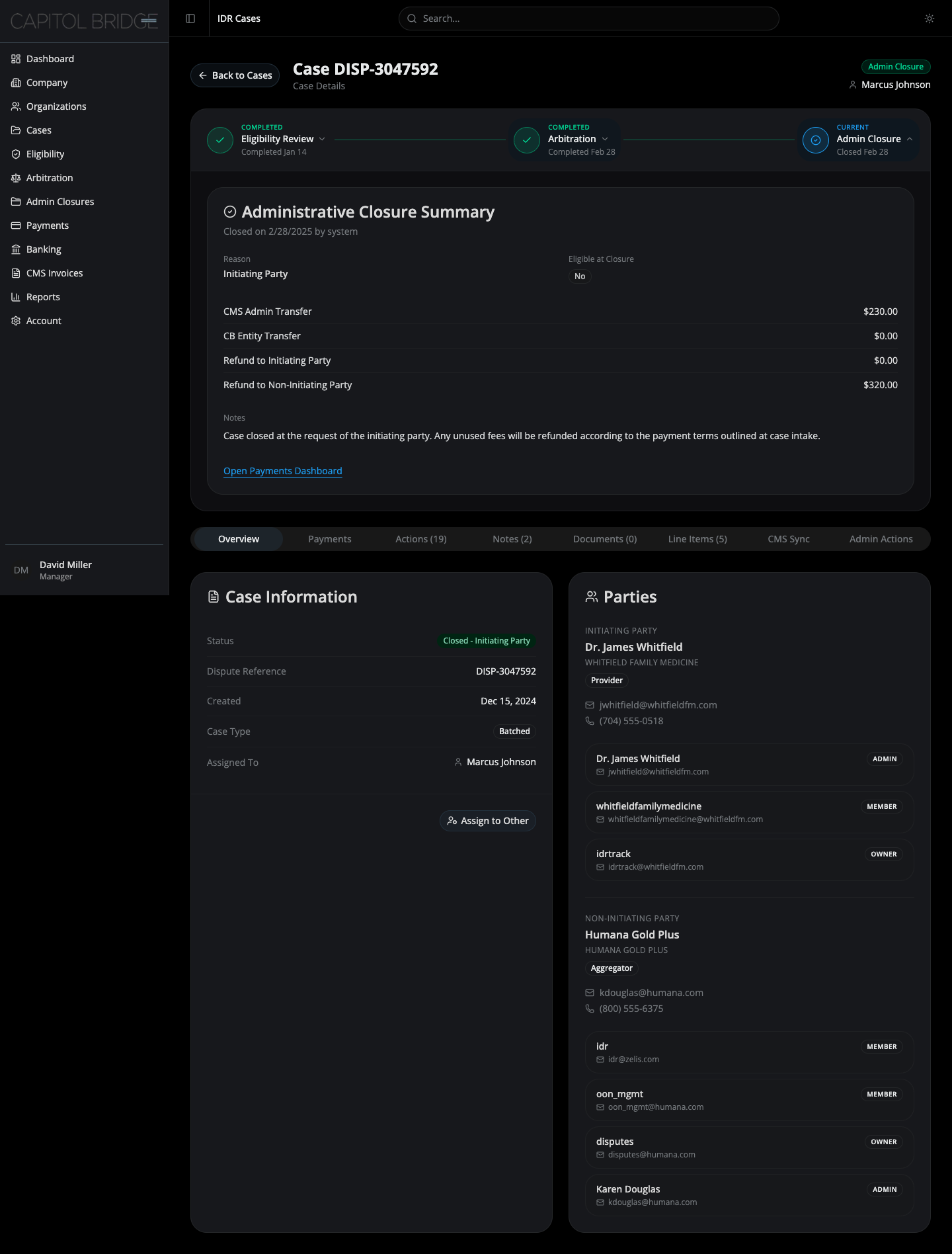
Section titled “What this enables”Clicking the Admin Closure node opens a single full-width summary card with closure reason, eligibility-at-closure badge, four-row financial reconciliation, notes, and a link out to the Payments Dashboard. Everything a manager needs to answer “why did this close, and how did the money settle?” is on the case.
See it in the prototype
Section titled “See it in the prototype”case-5 → click Admin Closure on the stepper.
Why it works this way
Section titled “Why it works this way”Closed cases have no active workflow to track, so the three-column layout used by other stages would be noise. One card, one reconciliation record. The stage was renamed from “Closed” to Admin Closure per client feedback to convey reconciliation state, not just archive — closure is an action with financial consequences, not a tombstone.
Related documentation
Section titled “Related documentation”- Admin Closure Panel — full card layout, reconciliation rows, eligibility-at-closure badge